PERCH Studio Master Hub
Unified Mission Control for Level Designers, Technical Artists & Engineers
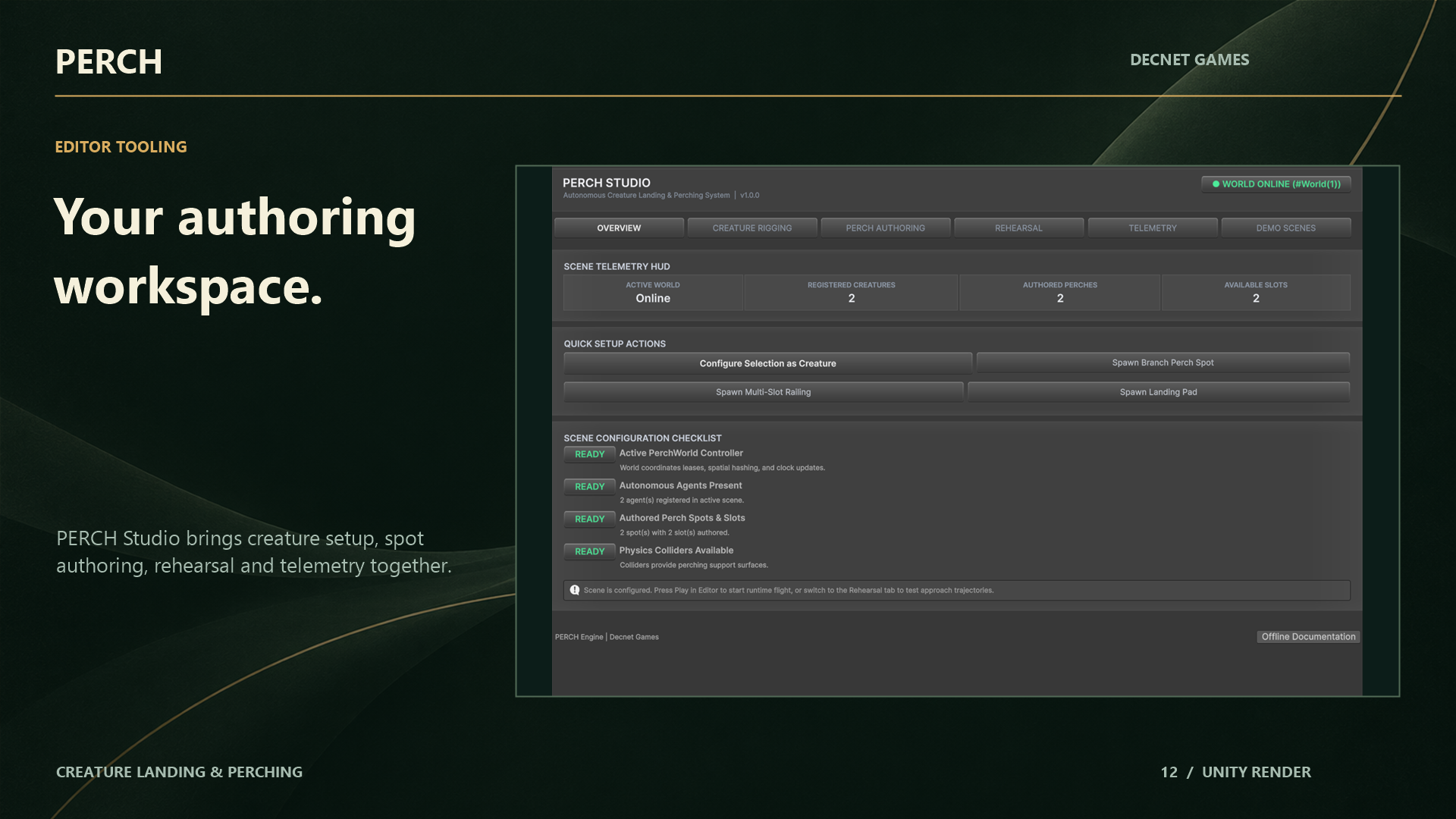
Rather than forcing developers to jump between dozens of inspectors, menu items, and debugger tabs, PERCH consolidates its entire authoring and inspection workflow into a single master tool: PERCH Studio.
Open it via:
- Menu:
Window > PERCH > PERCH StudioorTools > PERCH > PERCH Studio - Hotkey:
Ctrl+Alt+P
The Five Core Workflows
PERCH Studio is structured into five cohesive tabs:
+-----------------------------------------------------------------------------------+
|                                  PERCH STUDIO                                     |
+-----------------------------------------------------------------------------------+
| [1. HUD Telemetry] [2. Quick Authoring] [3. Scanner] [4. Rehearsal] [5. Scenes]  |
+-----------------------------------------------------------------------------------+
1. 5-Second Onboarding & Live Telemetry HUD
The moment you open Studio, the header bar presents an instant health check of your active scene:
- World Status: Indicates whether a
PerchWorldis active in the hierarchy. - Agent Count: Active flying, approaching, and perched creatures.
- Slot Capacity: Total authored slots vs currently reserved/occupied slots.
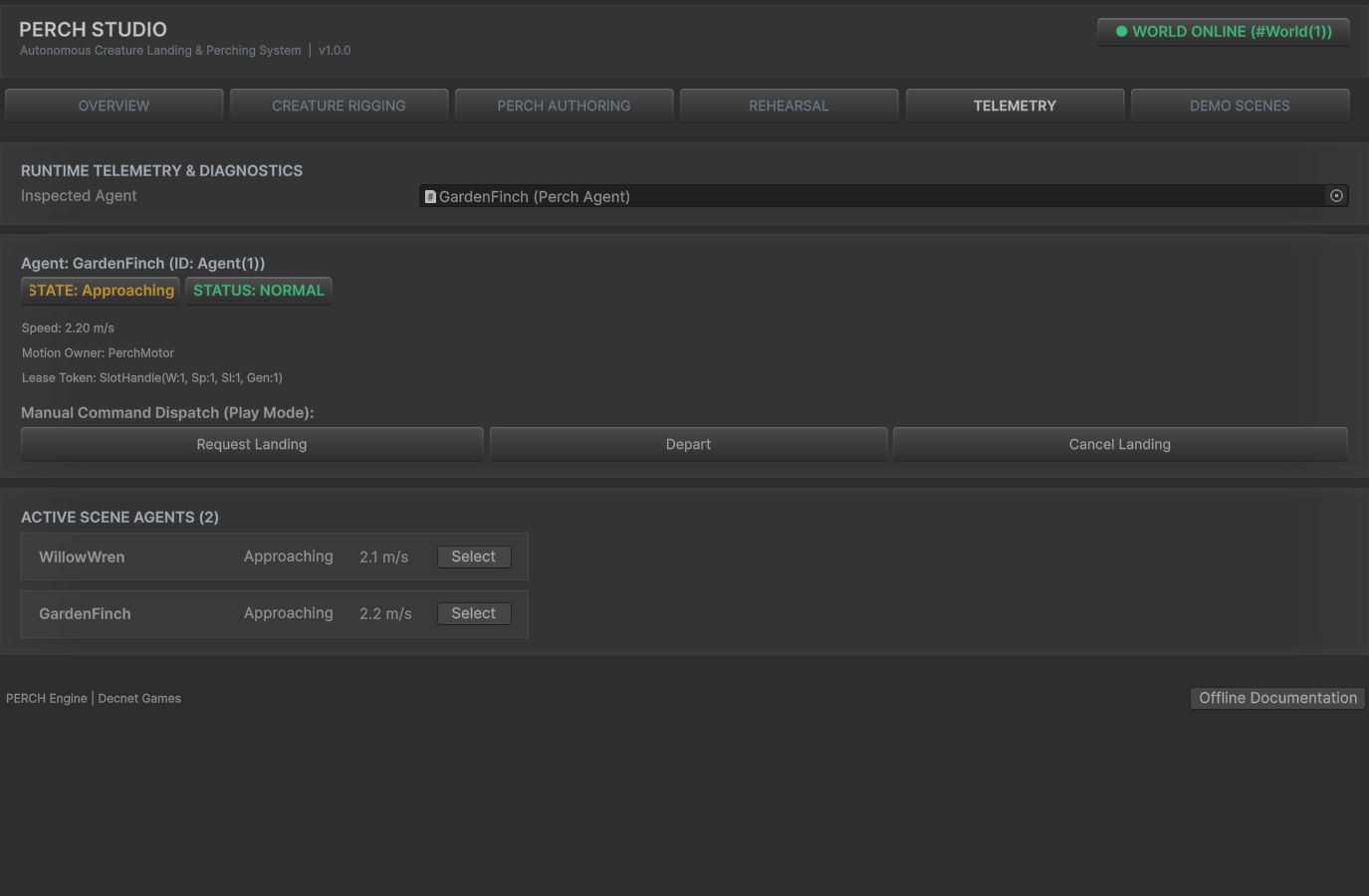
- Lease Integrity: Live counter of active leases, expired heartbeats, and contention status.
- GC Allocations: Confirms steady-state 0 B managed heap allocations.
2. 1-Click Creature & Spot Authoring
- Create Perch World: Instantiates a configured
PerchWorldwith optimal default spatial hash settings. - Author Single Perch: Adds a
PerchSpotto the currently selected GameObject with normal/forward gizmos aligned. - Generate Line Perch: Generates evenly spaced landing slots across selected fence rails or branches.
- Configure Creature: Opens the non-destructive Creature Setup Wizard, attaching
PerchAgent, motor, flight provider, and rig bindings to an imported character.
3. Surface Candidate Geometry Scanner
Directly embedded within Studio, the scanner lets you select complex environment geometry (such as an entire village, rock wall, or ancient tree) and sample candidate landing points using physics raycasts. Inspect proposed points in the Scene View, filter by slope and height, and apply them with full Undo/Redo support.
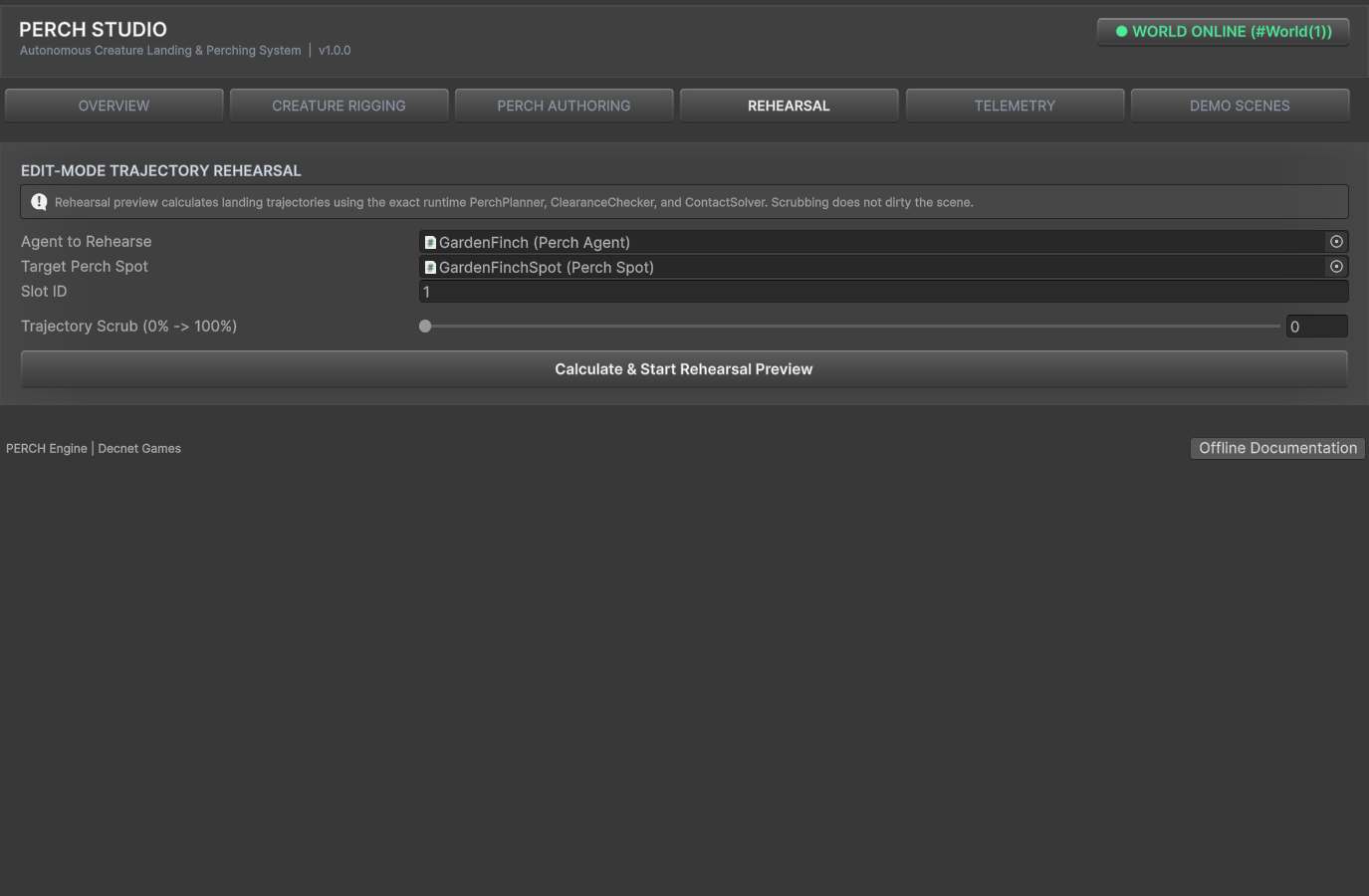
4. Edit-Mode Trajectory Rehearsal
Scrub approach and flare trajectories in Edit Mode without entering Play Mode. Studio instantiates a temporary, render-only ghost creature that follows the Hermite spline as you drag the time slider. Closing Studio or deselecting the tool immediately cleanses the preview object, leaving the scene completely untouched.
5. 1-Click Sample Scene Switcher
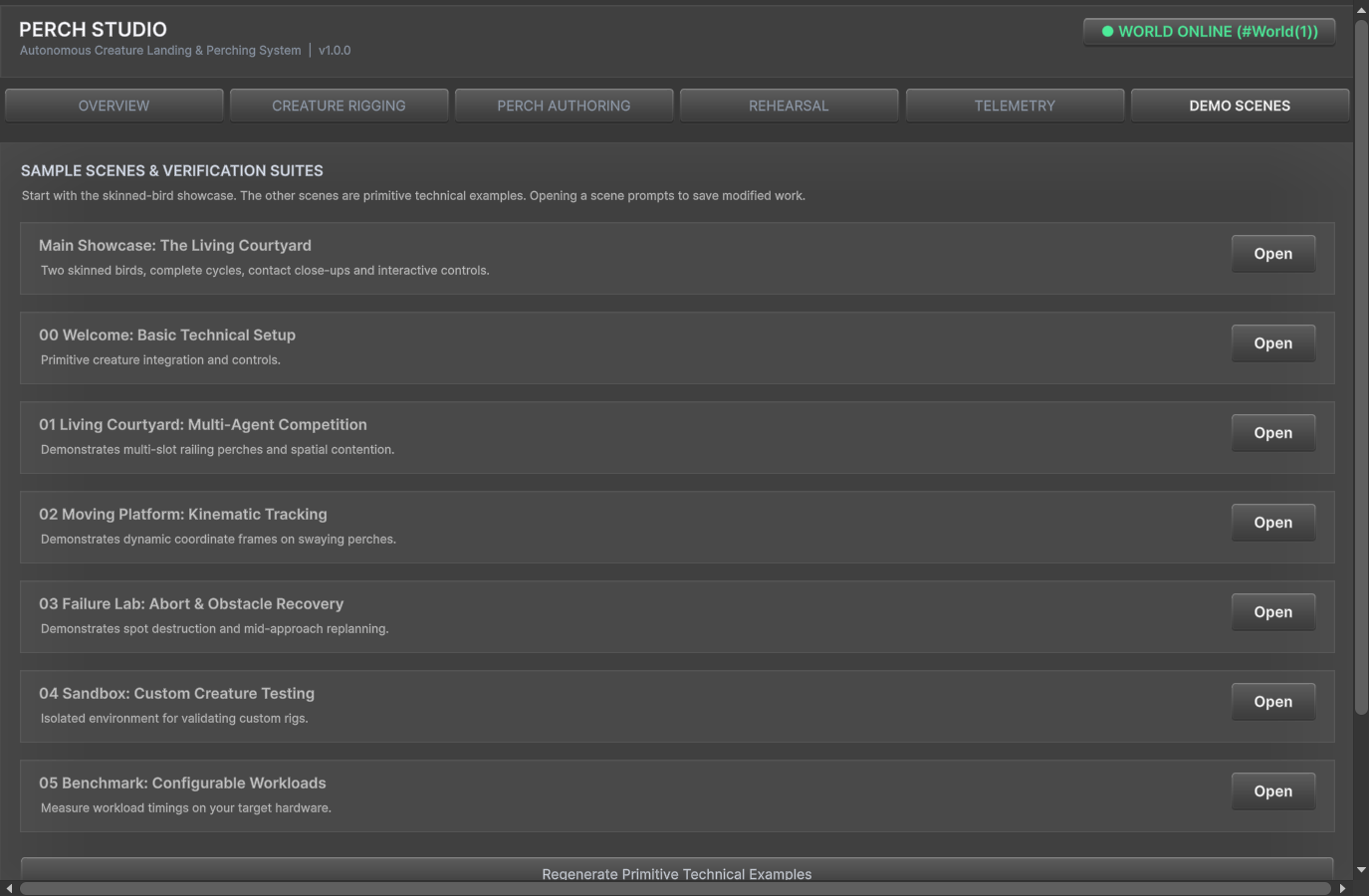
Quickly navigate between all 6 included demonstration scenes without digging through the Project folder:
00_Welcome: Single-bird first flight sandbox.01_LivingCourtyard: 24-agent procedural flock environment.02_MovingPlatform: Rocking and translating moving perch test.03_FailureLab: Interactive test bench for all 24 failure codes.04_BringYourCreature: Custom model integration template.05_Benchmark: High-density 300-agent workload stress scene.06_RealSkinnedBirds: Flagship interactive courtyard featuring Garden Finch and Willow Wren.
Non-Destructive Design Guarantee
A core tenet of PERCH Studio is zero scene corruption:
- All authoring actions are registered with Unity’s
Undosystem (Ctrl+Z). - Preview ghosts generated during rehearsal are marked with
HideFlags.DontSaveand strictly stripped of physics colliders and simulation scripts. - Switching scenes from the switcher prompts to save unsaved modifications, preventing lost work.