Sample Scenes
Seven Ready-to-Run Demonstration & Technical Validation Scenes
PERCH includes seven distinct scenes located in Assets/Decnet/Perch/Examples/Scenes/. Each scene isolates a specific gameplay scenario, from single-bird onboarding to 300-agent stress testing.
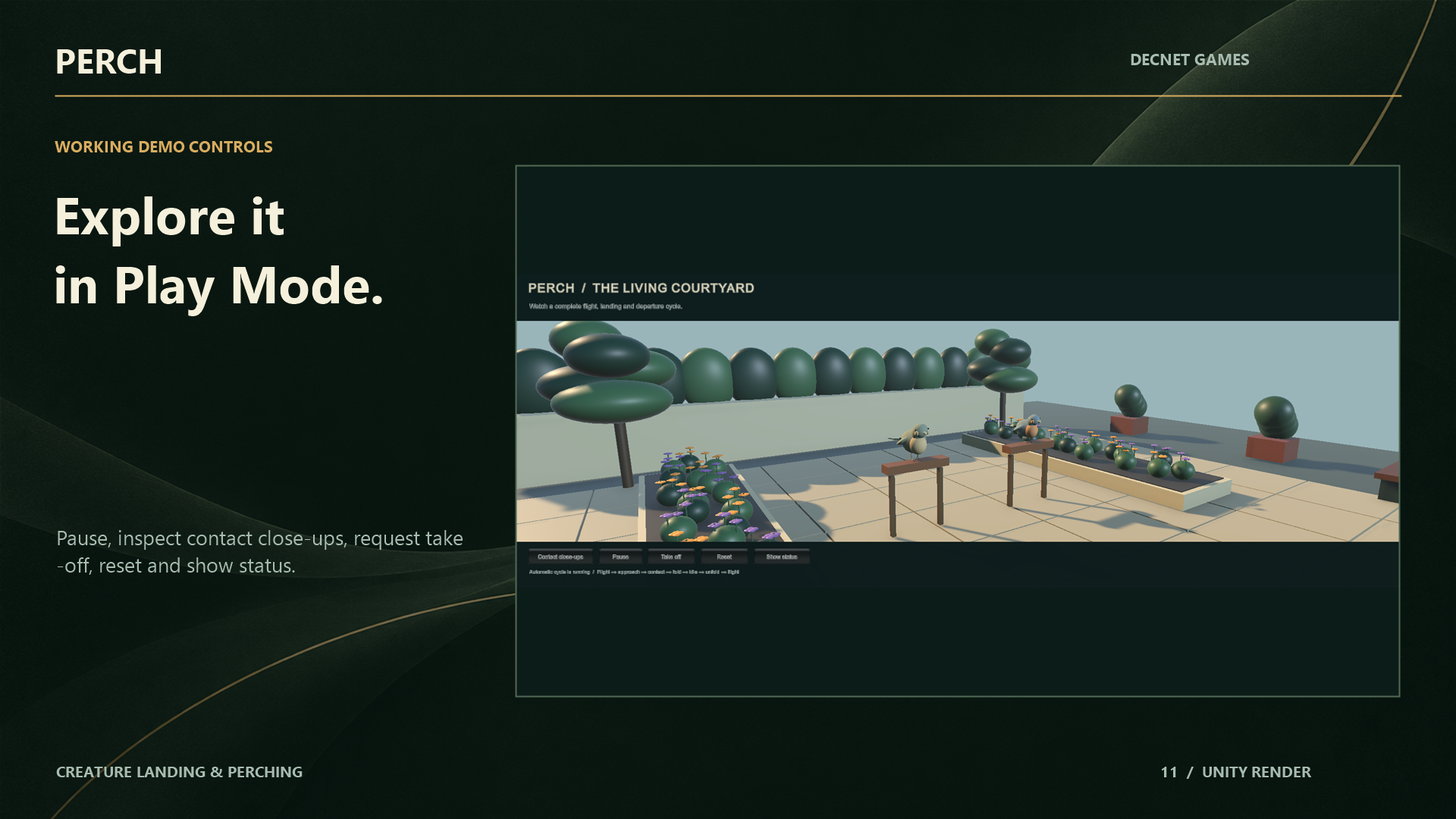
1. Flagship Showcase: 06_RealSkinnedBirds.unity
The primary visual showcase scene demonstrating maximum graphic fidelity:
- Characters: Features both original stylized Garden Finch and Willow Wren skinned models.
- Environment: A warm courtyard featuring multiple wooden fences, stone ledges, trees, and overhead wire perches.
- Behaviors: Full continuous cycles: free flight, swept approach, aerodynamic flare, two-bone IK touchdown, wing fold holds, idle breathing, and takeoff launches.
- Interactive UI: On-screen buttons for camera close-ups, pause/resume, take off, reset, and live telemetry status overlays.
2. Technical & Onboarding Scenes
00_Welcome.unity (First Success)
- Goal: Immediate onboarding and verification.
- Setup: Exactly one bird and one rail perch.
- Usage: Ideal for studying the minimal component configuration required for a functioning PERCH integration.
01_LivingCourtyard.unity (Flock Coordination)
- Goal: Ambient multi-agent flocking.
- Setup: 24 autonomous birds sharing rails, branches, and wires.
- Behaviors: Autonomous candidate selection, dwell variation, and panic wave dispersal.
02_MovingPlatform.unity (Dynamic Supports)
- Goal: Moving platform kinematic compensation.
- Setup: A bird landing on a swaying wooden branch alongside a quadcopter drone docking onto a translating hover pad.
- Behaviors: Demonstrates relative coordinate tracking and takeoff momentum inheritance.
03_FailureLab.unity (Diagnostics & Error Handling)
- Goal: Interactive verification of failure handling.
- Setup: A testbench containing pathological perching setups: slots that are too small, blocked approach corridors, overlapping start envelopes, and out-of-bounds platform velocities.
- Behaviors: Proves that every failure emits a clean typed
FailureReasonand recovers safely without console exceptions.
04_BringYourCreature.unity (Custom Model Sandbox)
- Goal: Fast template scene for dropping in your own models.
- Setup: Clean lighting, authoring gizmos, and pre-wired setup wizards.
05_Benchmark.unity (Workload Profiling)
- Goal: Performance and profiler verification.
- Setup: 300 active agents navigating 600 slots.
- Telemetry: Displays real-time 95th-percentile frame time, physics query counts, and managed GC allocation counters.
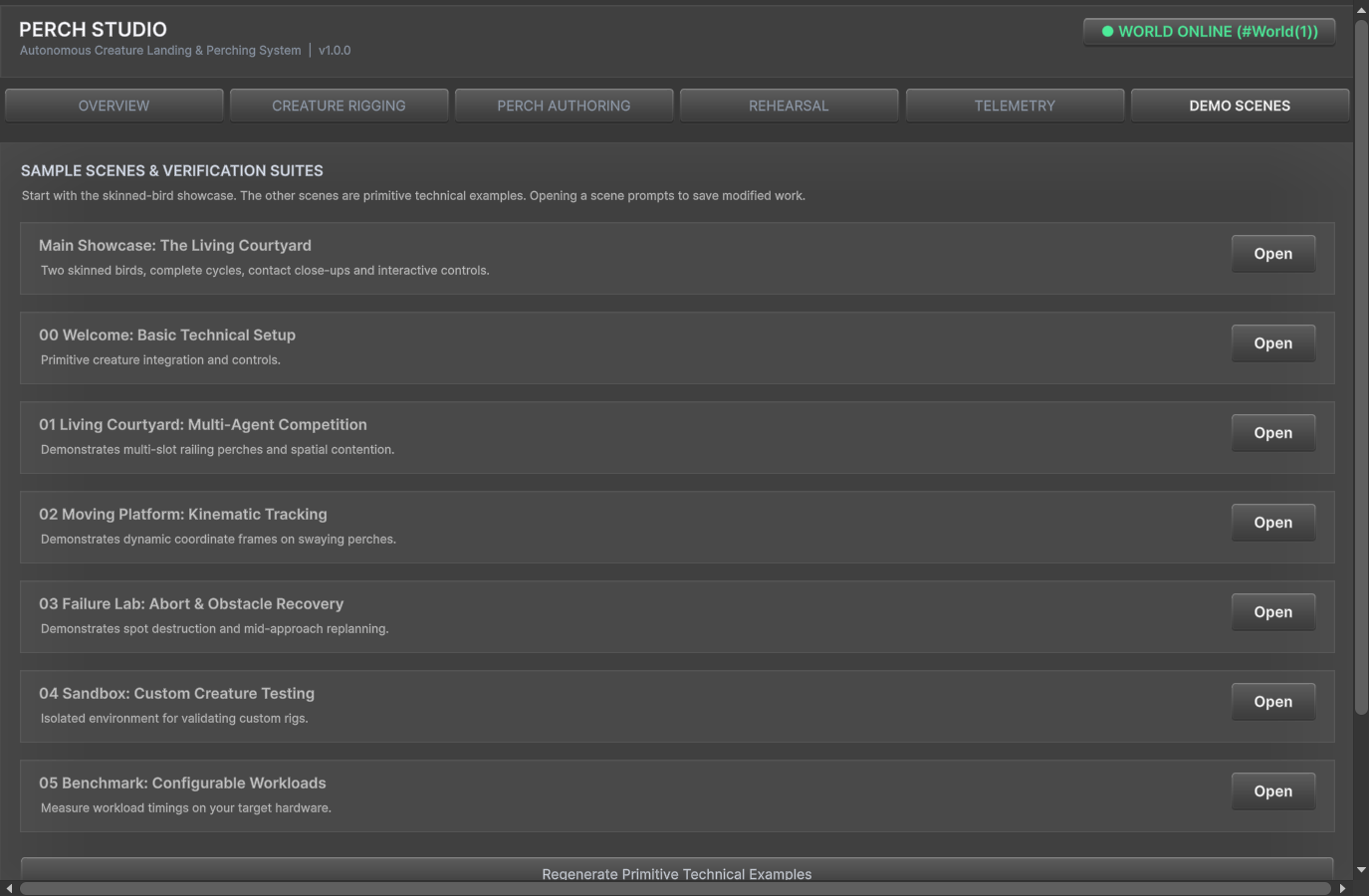
[!TIP] You can switch between all 7 scenes with one click using the Sample Scenes tab in PERCH Studio (
Ctrl+Alt+P).