Diagnostics & Tools
Inspect, Diagnose, and Author Creature Behaviors with Total Clarity
In complex AI systems, silent failures are the biggest productivity killer. When a creature refuses to land, you need to know exactly why in seconds—not after hours of setting breakpoints.
PERCH provides a comprehensive suite of editor tools, telemetry inspectors, and strongly typed failure codes.
Subsystem Index
Explore each diagnostic tool and workflow:
1. Failure Codes & Remediation
Complete reference dictionary of all 24 canonical FailureReason codes, including exact trigger conditions and step-by-step remediation instructions.
2. Landing Debugger & Telemetry
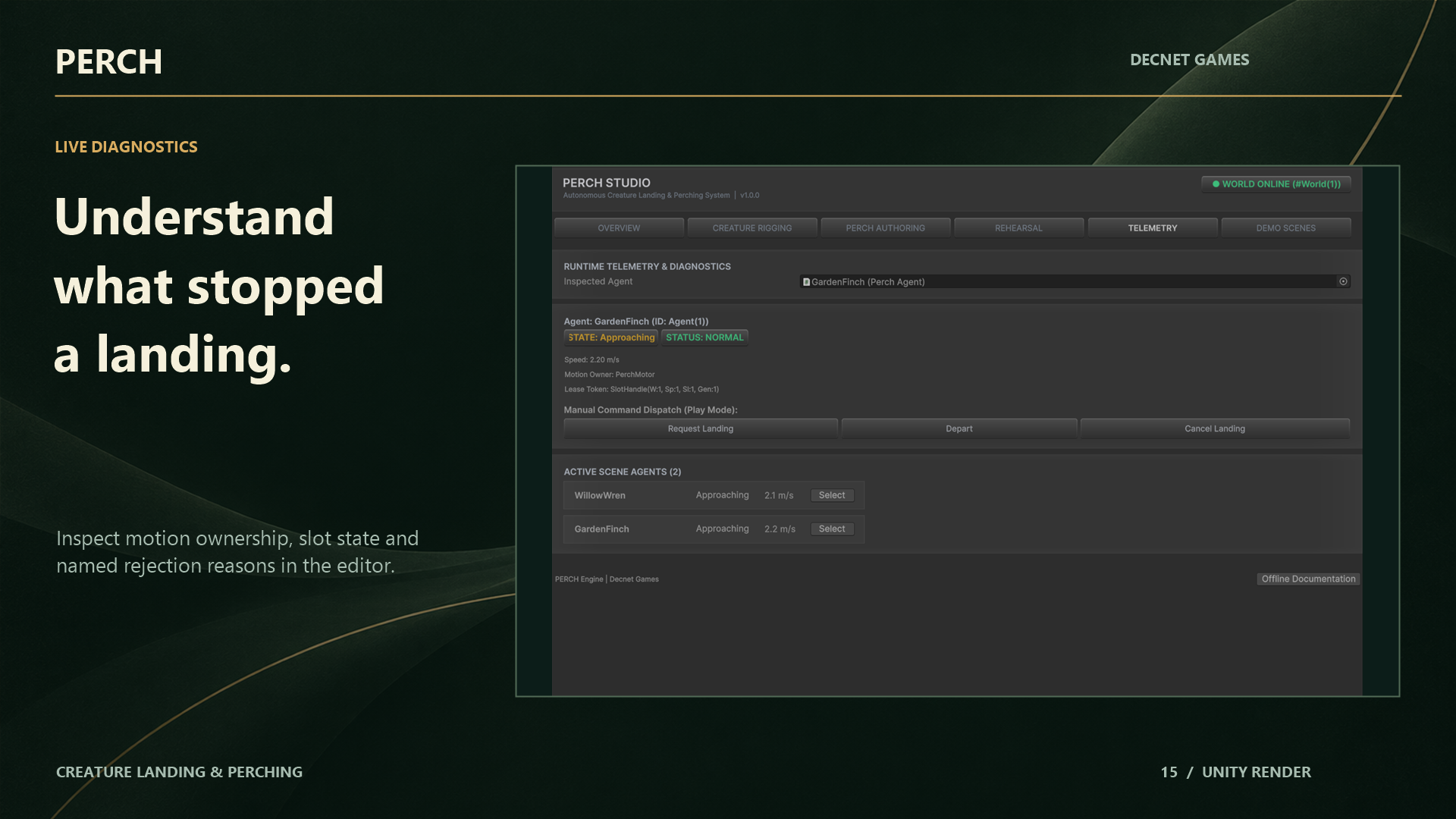
How to use the live runtime inspector (Window > Perch > Landing Debugger) to monitor agent states, lease token numbers, candidate rejections, and physics query saturation in real time.
3. Surface Candidate Scanner
Automate level authoring using raycasts against scene colliders. Discover landing points across fences, trees, and cliffs with configurable slope and clearance filters.
4. Edit-Mode Landing Rehearsal
Scrub and preview full approach, flare, and touchdown trajectories directly in the Scene View without entering Play Mode. Uses an isolated render-only preview ghost.