Review States
“The string exists” is not a review
Most localization dashboards show a percentage of translated keys. That number is nearly useless for release decisions because a filled cell can be an unreviewed machine draft, an outdated translation, or a line that was never approved for the current source. LocalizeShip replaces the percentage with six explicit states, evaluated per line and locale.
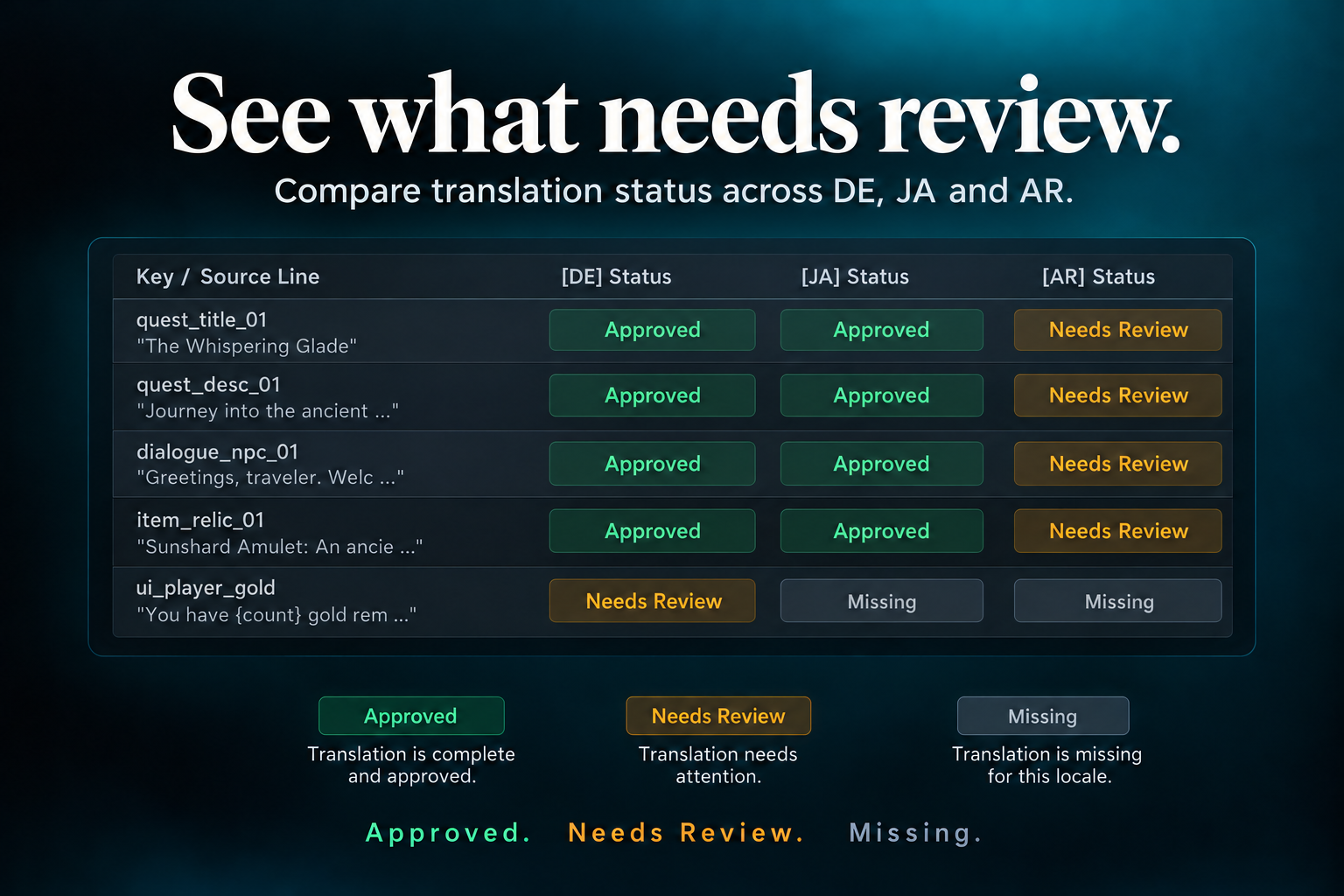
The six states
public enum ReviewState
{
    Missing = 0,
    Draft = 1,
    NeedsReview = 2,
    Approved = 3,
    Stale = 4,
    Rejected = 5
}
| State | Display | Colour | Meaning |
|---|---|---|---|
Missing | Missing | Gray #888888 | No translation text exists |
Draft | Draft | Lavender #7B68EE | Rough or advisory text, not ready for sign-off |
NeedsReview | Needs Review | Amber #E5A93C | Text exists, no human sign-off for this revision |
Approved | Approved | Green #4EAA78 | Explicit sign-off bound to the current source hash |
Stale | Stale | Orange #E57A3C | Source changed after approval; the approval is void |
Rejected | Rejected | Red #E05353 | Reviewer rejected the text with a rationale |
How a record is created
ApprovalRecord starts in one of two states:
public ApprovalRecord(StableEntryId id, LocaleId locale, string text)
{
    EntryId = id;
    Locale = locale;
    TranslationText = text ?? string.Empty;
    CurrentState = string.IsNullOrEmpty(TranslationText)
        ? ReviewState.Missing
        : ReviewState.NeedsReview;
}
- Empty text → Missing
- Non-empty text → Needs Review
There is no “translated” state. Text alone never means approved.
Transitions
Human actions
| Action | From | To | Evidence written |
|---|---|---|---|
| Approve | Missing / Draft / NeedsReview / Stale / Rejected | Approved | Review event + approved source hash + approved translation hash (see note) |
| Reject | Any non-approved state | Rejected | Review event with rationale |
| Reject from Approved | Approved | Rejected | Review event; approved hashes remain in the record |
| Edit text in the board | Any | NeedsReview | Review event with reason “Direct edit in Release Board” |
| Import applied | Any non-approved state | NeedsReview | Review event with the import plan ID |
| Batch approve | Any non-approved state with non-empty text | Approved | One event per line |
Automatic transitions
| Trigger | From | To |
|---|---|---|
| Source hash changes | Approved only | Stale |
| Source hash changes | Missing / Draft / NeedsReview / Rejected | Unchanged |
| New record created | — | Missing or NeedsReview |
Merge with KeepCurrent | Any | Unchanged |
The automatic invalidation lives in ApprovalRecord.CheckSourceChange:
public void CheckSourceChange(SourceRevisionHash newSourceHash)
{
    if (CurrentState == ReviewState.Approved && ApprovedSourceHash != newSourceHash)
    {
        CurrentState = ReviewState.Stale;
        History.Add(new ApprovalEvent(..., "System (Auto-Invalidation)", "Engine",
            $"Source revision changed from {ApprovedSourceHash} to {newSourceHash}. Approval invalidated."));
    }
}
Only Approved records become Stale automatically. A Needs Review line stays Needs Review after a source edit. It does not become Stale and it does not become Approved. If you expected every touched cell to turn orange, this is why it does not.
What approval actually binds
On approval, the record stores:
ApprovedSourceHash = currentSourceHash;
ApprovedTranslationHash = currentTransHash;
currentSourceHash is passed by the caller. In the Release Board’s manual approve action, the source hash is the selected revision’s hash and the translation hash is default (empty). In the import coordinator, source hash is the current revision and translation hash is also default.
This is enough to invalidate on source drift. It is not a full translation-content seal. If you need approval to expire when the translation text is later edited outside the board, compute and pass RevisionTracker.ComputeTranslationHash(text) at approval time.
State semantics in the release gate
The approval matrix check walks every source revision × target locale:
if (app == null || app.CurrentState == ReviewState.Missing) missingCount++;
else if (app.CurrentState == ReviewState.Stale) staleCount++;
else if (app.CurrentState != ReviewState.Approved) unapprovedCount++;
Consequences:
DraftandNeedsReviewandRejectedall count as unapproved.Missingis tracked separately and can block viaBlockOnMissingTranslations.Stalecan block viaBlockOnStaleTranslations.- Unapproved non-missing states can block via
RequireAllLocalesApproved.
The resulting overall status is Failed if there are defects, IncompleteCoverage if the only problems are missing/unvisited/unapproved, otherwise Passed.
Reading the board
In the Release Board’s key × locale grid, every cell is a button labelled with the current state and coloured with the state colour. Clicking selects the line; it does not change the state.
In the right-hand inspector, each locale card shows:
- current state;
- an Approve button when not approved, or Reject when approved;
- a text field for the translation.
Typing in the text field creates a Needs Review transition with the reason “Direct edit in Release Board”.
Batch approval is deliberately narrow: it only considers lines matching the current search text, and only cells with non-empty translation text that are not already approved. It writes one event per cell. It does not look at voice, subtitle or visual findings.
State design principles
- Text presence is never approval. The default for new text is Needs Review.
- Approval is revision-scoped. It cannot survive a source change.
- Every transition is an event. Even system invalidation has an author label.
- Rejection is explicit. It is not “not approved”; it carries a rationale.
- Draft is separate from Needs Review. A draft is not yet submitted; needs-review is awaiting a human decision.
- Nothing auto-approves. Not imports, not advisory drafts, not batch operations without a human click.