Capture Matrix
Turn “looks fine to me” into a measured tile
Tools → Decnet → LocalizeShip → Capture Matrix
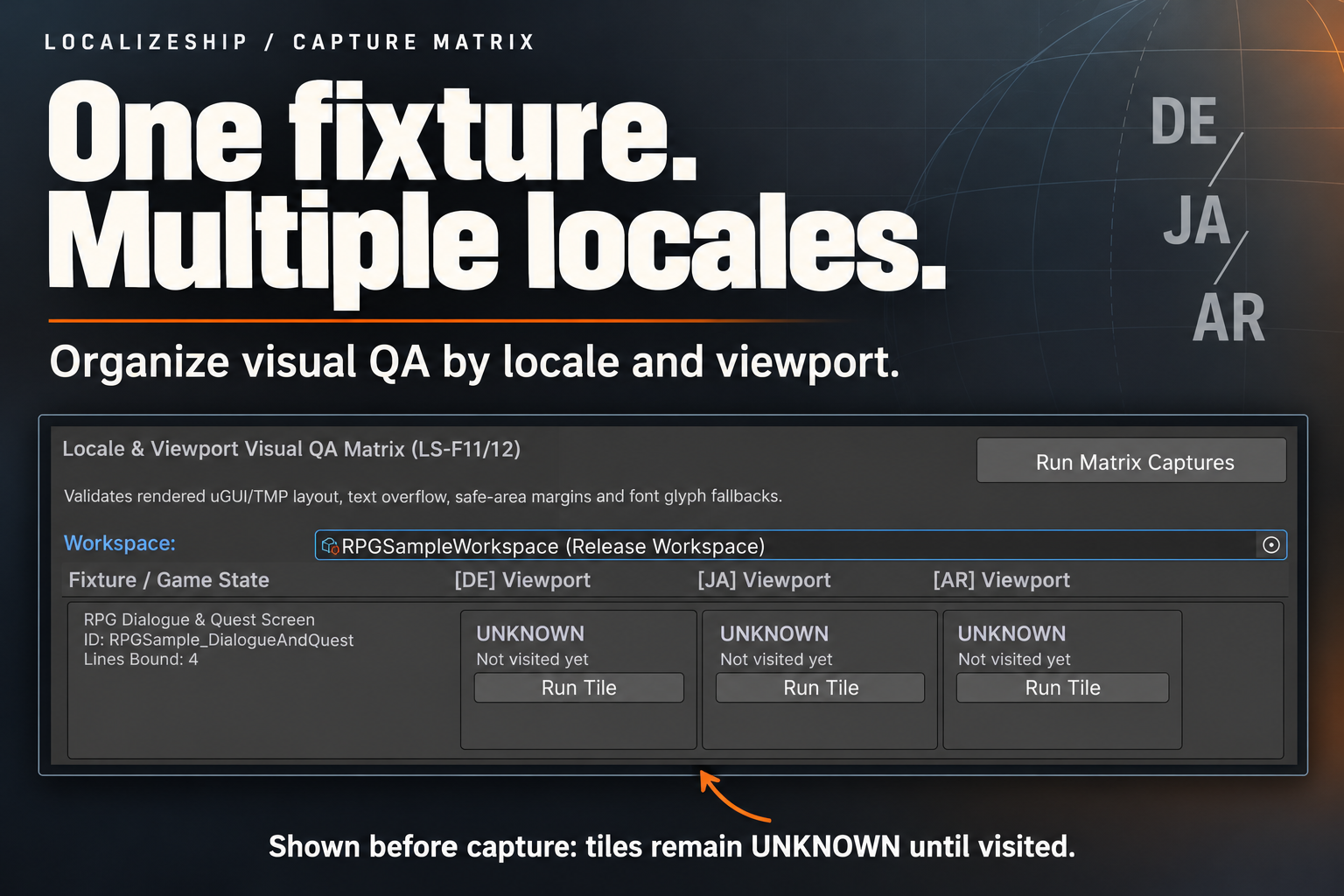
The Capture Matrix connects a UI screen to the localization keys it displays. Once a fixture is registered, you can evaluate every target locale against the same geometry rules and see which tiles were actually visited.
Register a fixture
Select the UI root (usually a Canvas or panel) and add:
Add Component → Decnet → LocalizeShip → Capture Fixture
Fields:
| Field | Purpose |
|---|---|
FixtureId | Stable identifier used in tile keys and file names |
DisplayName | Human-readable screen name |
RootContainer | Boundary RectTransform for overflow checks; defaults to this transform on Reset |
SafeAreaReference | Rect used for safe-area checks; defaults to Screen.safeArea when empty |
BoundLines | List of line bindings |
Each LineBinding has:
| Field | Purpose |
|---|---|
EntryId | The localization key shown by this element |
TargetGameObject | The TMP_Text or Text object to measure |
ContainerOverride | Optional container rect for this element |
IsInteractive | Enables the touch-target rule |
Locale switching
CaptureFixture.PrepareFixtureForLocale(locale) scans child MonoBehaviours for a public method:
public void SetLocale(string localeCode)
The RPG sample’s RPGSampleUI implements it and swaps an in-memory dictionary. If your screen has no such method, the fixture cannot change language, and every locale tile will measure the same text. Wire an equivalent method or set the locale through your localization provider before running.
Run the matrix
- Open a scene containing at least one
CaptureFixture. - Open the Capture Matrix window and assign the workspace.
- The grid renders one row per fixture and one column per target locale.
- Run Tile executes one fixture × locale.
- Run Matrix Captures executes every fixture × locale in the open scene.
A tile shows:
- UNKNOWN / Not visited yet before a run;
- PASS or DEFECT DETECTED after a run;
- finding count;
- Editor Approximation label;
- Inspect Findings for a text list.
Results replace the previous tile for the same FixtureId + locale.
What a run does
CaptureRunner.ExecuteFixture:
- Creates a tile with
Coverage = Visited. - Calls
PrepareFixtureForLocale. - Calls
Canvas.ForceUpdateCanvases(). - Gets the container and safe-area rects.
- For each binding:
- resolves the
RectTransform; - reads
TMP_TextorText; - compares TMP preferred values with the container and expands the measured rect if the preferred size is larger;
- asks the font asset whether each non-whitespace character exists;
- calls
VisualRuleEngine.EvaluateElementwith suppressions.
- resolves the
- Writes a screenshot file if an output directory is provided.
- Returns the tile.
The window stores the tile back into workspace.CaptureResults and marks the workspace dirty.
What the screenshot actually is
{FixtureId}_{locale}_{width}x{height}.png
The runner allocates a Texture2D at the requested resolution, fills it with a background colour, encodes it to PNG and writes it. It does not capture the camera, the canvas or the game view.
So the screenshot is a record of the capture event and resolution, not visual evidence. The findings are the evidence; they come from rect measurement and glyph queries.
LocalizeShip does not claim player-capture verification. The
IsPlayerCapturefield exists and is labelled in the UI, but the shipped window always passesfalseand there is no player bridge.
Viewport reality
The window passes 1920 × 1080 for every tile. The runner records that number in the tile and file name, but it does not resize the canvas or the screen before measuring.
There is no device-preset list, no multi-resolution loop, and no aspect-ratio switch in 1.0.0. If you need real viewport coverage, drive CaptureRunner yourself after resizing the target canvas, once per resolution, and store each result.
Supported UI objects
| Object | Support |
|---|---|
TextMeshPro (TMP_Text, TextMeshProUGUI) | Measured and glyph-checked |
Legacy uGUI (UnityEngine.UI.Text) | Measured and glyph-checked |
UI Toolkit (UIDocument) | Not read by CaptureRunner in 1.0.0 |
| Custom renderers | Not measured |
The test suite description mentions UI Toolkit fixtures as a product goal; the shipped runner code handles TMP and uGUI only. Extended UI Toolkit support belongs in a custom runner.
Findings
A tile can contain:
TextOverflow(Error)SafeAreaViolation(Warning)TouchTargetTooSmall(Warning)MissingGlyph(Error)
Clipping and LayoutCollision are defined in the enum but not emitted by the current rule engine. See Visual QA.
Suppressions are read from workspace.Suppressions and matched by fingerprint. A suppressed finding remains in the tile but no longer counts as an error in the gate.
Practical fixture design
- One fixture per screen state, not per panel.
QuestLog_EmptyandQuestLog_Filledare different states. - Bind every localized text element, including buttons and tooltips.
- Set
RootContainerexplicitly to the clipping boundary. The canvas root is often too generous. - Set
SafeAreaReferenceto your device-safe panel if you have one; otherwise the runtime safe area is used. - Mark interactive elements so the 44×44 rule applies.
- Use the same fixture ID across releases so coverage history is comparable.
- Keep fixtures in the scenes you actually ship, not in a separate test scene that drifts.