Unity Localization Adapter
The one bundled adapter that is actually implemented
UnityLocalizationAdapter talks to StringTableCollection assets through LocalizationEditorSettings. It is the reference implementation of ILocalizationProvider and the only provider wired to real Unity Localization APIs in 1.0.0.
Verified against Unity Localization 1.5.13.
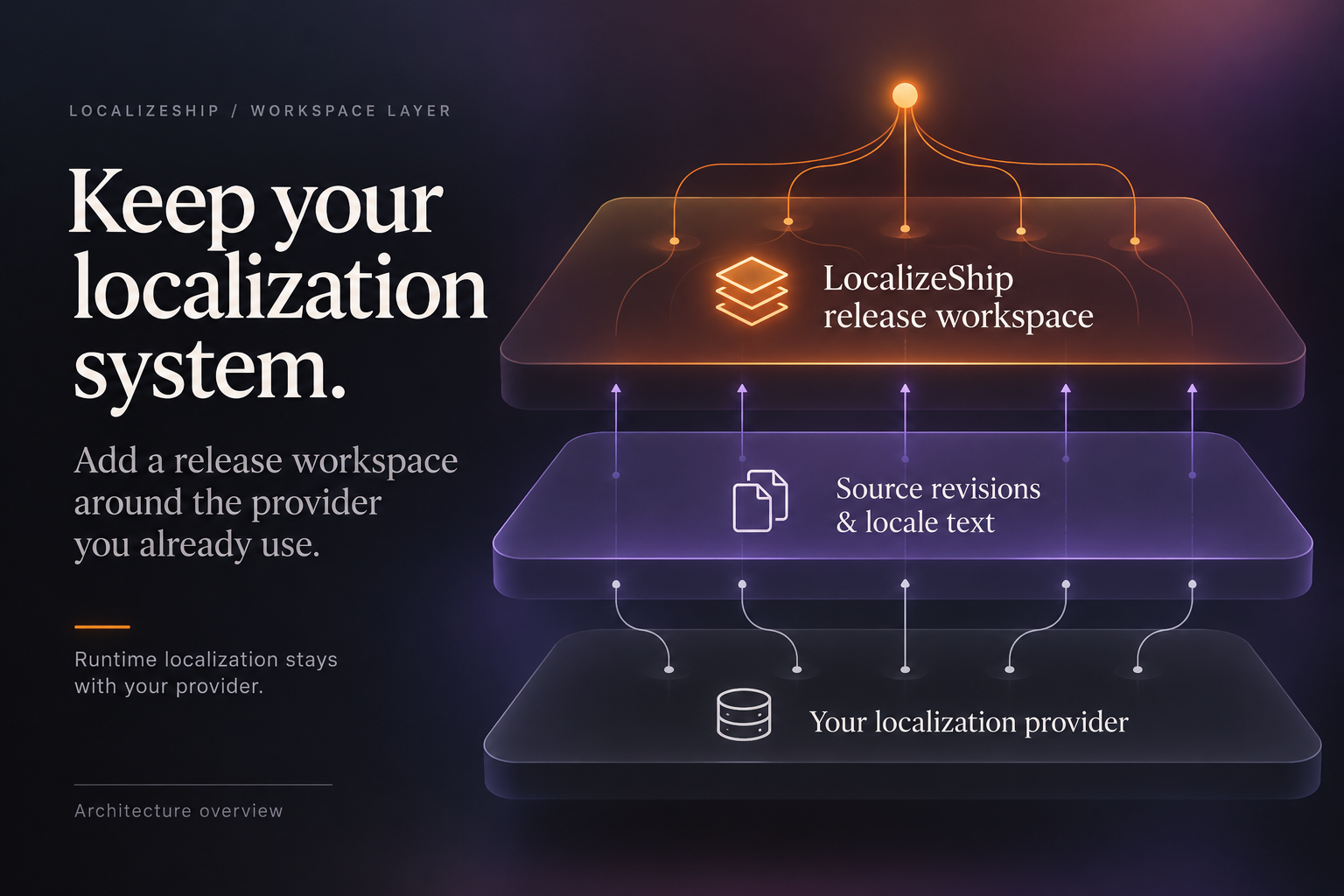
The capture shows the optional I2 Localization and Dialogue System adapters absent; it is not licensed-install verification.
Requirements
com.unity.localizationinstalled;- the adapters assembly reference to
Unity.LocalizationandUnity.Localization.Editor; - Editor platform only — the adapters assembly is Editor-only.
The adapter compiles against Unity Localization unconditionally. Without the package, the project does not compile. This is why the package is listed as a dependency in Installation.
What each method does
GetAvailableCollectionNames
var collections = LocalizationEditorSettings.GetStringTableCollections();
foreach (var c in collections)
    if (!string.IsNullOrEmpty(c.TableCollectionName))
        list.Add(c.TableCollectionName);
Returns String Table Collection names only. Asset Table Collections are not listed.
ReadCollection
- Finds the first
StringTableCollectionwhose name matchescollectionNamecase-insensitively. - Gets the source table for the requested locale:
collection.GetTable(new LocaleIdentifier(sourceLocale)) as StringTable. - Iterates
collection.SharedData.Entries. - For each entry, reads the source table’s value by numeric ID.
- Creates
new SourceRevision(new StableEntryId(key), text, "", "", policy).
Consequences:
| Behaviour | Detail |
|---|---|
| Identity | The shared key is the StableEntryId |
| Speaker | Always empty |
| Context | Always empty |
| Revision hash | Computed from normalized text plus ":" (empty speaker and context) and policy version |
| Placeholders | Extracted by the SourceRevision constructor |
| Missing source table | Returns an empty list, silently |
| Missing collection | Returns an empty list, silently |
| Empty entries | Included with RawText = "" |
The adapter does not read comments, metadata, speaker fields or scene references. Any context you need must be added after reading, in your own code.
GetTranslation
Finds the collection, gets the target StringTable for the locale, and calls:
var entry = targetTable.GetEntry(entryId.Value);
return entry != null ? entry.Value : null;
It uses the string-key overload, matching the key-based identity. A missing collection, missing table or missing entry returns null — the three cases are not distinguished.
WriteTranslation
Finds the target table, then:
Undo.RecordObject(targetTable, "LocalizeShip Apply Translation");
var entry = targetTable.GetEntry(entryId.Value);
if (entry != null) entry.Value = newText;
else targetTable.AddEntry(entryId.Value, newText);
EditorUtility.SetDirty(targetTable);
Notes:
- It writes only if the target table already exists. It does not create a locale table.
- It marks the table dirty but does not call
AssetDatabase.SaveAssets(). Call it yourself if you need the change persisted immediately. - It does not touch Asset Tables, Addressables groups, or preload references.
- Undo is recorded for the table object.
Version reporting
public bool IsInstalled => true;
public string VersionString => "1.5.13";
Both values are hard-coded. The adapter does not query the Package Manager. The Guided Setup card will say “Active (1.5.13)” even if a different compatible version is installed. Treat the version string as a build-time claim, not a runtime detection.
Example: ingest a collection
using Decnet.LocalizeShip.Adapters.UnityLocalization;
using Decnet.LocalizeShip.Core.Models;
using UnityEditor;
using UnityEngine;

public static class IngestStrings
{
    [MenuItem("Tools/Decnet/LocalizeShip/Ingest UI Strings")]
    public static void Ingest()
    {
        var workspace = AssetDatabase.LoadAssetAtPath<ReleaseWorkspace>(
            "Assets/Decnet/LocalizeShip/Generated/ReleaseWorkspace_v1.0.asset");

        var adapter = new UnityLocalizationAdapter();
        var revisions = adapter.ReadCollection("UI", "en", workspace.Normalization);

        foreach (var rev in revisions)
        {
            var existing = workspace.GetSourceRevision(rev.EntryId);
            if (existing == null)
            {
                workspace.SourceRevisions.Add(rev);
            }
            else if (existing.RevisionHash != rev.RevisionHash)
            {
                new Decnet.LocalizeShip.Core.Services.RevisionTracker()
                    .ProcessSourceEntry(workspace, rev.EntryId, rev.RawText, rev.Speaker, rev.ContextDescription);
            }
        }

        EditorUtility.SetDirty(workspace);
        AssetDatabase.SaveAssets();
        Debug.Log($"Ingested {revisions.Count} entries.");
    }
}
This is an example of how to use the adapter, not a shipped menu item. The package does not include this script.
Example: write an approval back
var adapter = new UnityLocalizationAdapter();
adapter.WriteTranslation("UI", entryId, new LocaleId("de"), approvedText);
AssetDatabase.SaveAssets();
Only do this after your own review step. Writing an unapproved or stale string into the table defeats the purpose of the workspace.
Known limits
- String tables only; no asset tables.
- Key renames break identity and history.
- No metadata, comments or speaker/context extraction.
- Silent empty results for missing collections and locales.
- Hard-coded status and version.
- No batch API; each call re-enumerates collections.
- Not invoked by any LocalizeShip window in 1.0.0.