Visual QA
Layout defects are geometry, not opinions
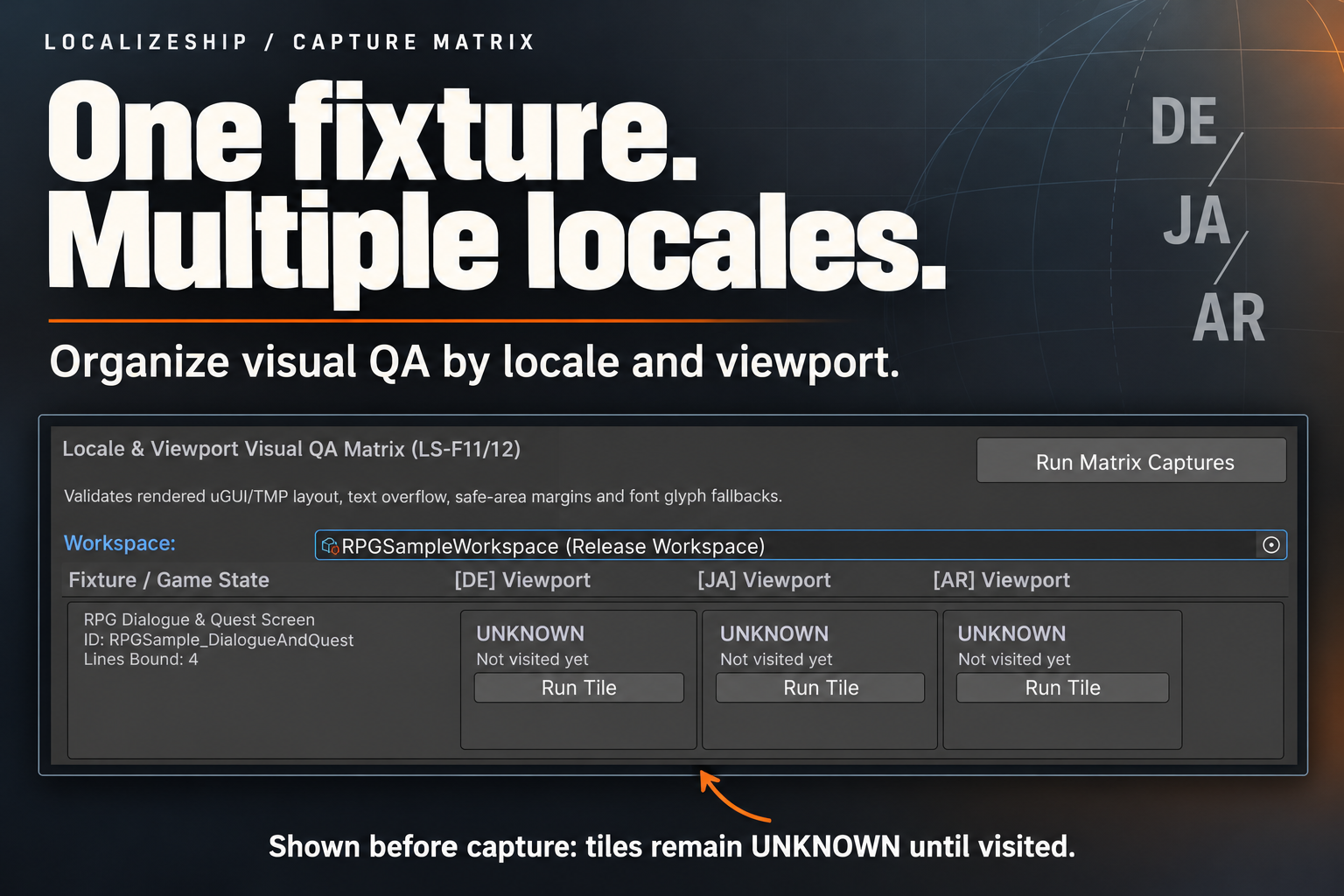
Localization expands. German is routinely longer than English; Japanese and Arabic bring different line-breaking and glyph coverage. LocalizeShip evaluates the measurements it can defend: bounds versus container, bounds versus safe area, interactive size, and font character coverage.
The rule engine
VisualRuleEngine.EvaluateElement takes:
StableEntryId entryId,
LocaleId locale,
string objectName,
Rect elementRect,
Rect containerRect,
Rect screenSafeArea,
bool isInteractive = false,
string renderedText = null,
List<char> missingGlyphs = null,
List<FindingSuppression> suppressions = null
It returns a list of VisualFinding.
Rule 1 — Text overflow
if (elementRect.width > containerRect.width + 1.0f ||
    elementRect.height > containerRect.height + 1.0f)
- Type:
TextOverflow - Severity:
Error - Tolerance: 1 unit, to absorb rounding noise
- Message: element bounds vs container bounds and the width excess
For TMP elements, CaptureRunner first compares GetPreferredValues(text, container.width, container.height) with the container and expands the measured element rect if the preferred size is larger. That is how an overflowing line is detected even when the visible rect is constrained.
The rects are Unity UI units, not guaranteed physical pixels. The message formats them with
F0and says “px”, but on a scaled canvas the unit depends on your Canvas Scaler. Treat the numbers as relative geometry.
Rule 2 — Safe-area violation
Only evaluated when the safe-area rect has non-zero width and height:
if (elementRect.xMin < screenSafeArea.xMin ||
    elementRect.xMax > screenSafeArea.xMax ||
    elementRect.yMin < screenSafeArea.yMin ||
    elementRect.yMax > screenSafeArea.yMax)
- Type:
SafeAreaViolation - Severity:
Warning - Container bounds in the finding store the safe-area rect
CaptureFixture.GetSafeAreaRect returns SafeAreaReference.rect when assigned, otherwise Screen.safeArea. In the Editor, Screen.safeArea is the game view rect, not a phone notch simulation.
Rule 3 — Touch-target minimum
Only for bindings marked IsInteractive:
public const float MinTouchTargetWidth = 44f;
public const float MinTouchTargetHeight = 44f;
If either dimension is smaller:
- Type:
TouchTargetTooSmall - Severity:
Warning - Message: current size vs 44×44 “pt”
This is a size check on the bound element’s rect. It does not know about padding from a parent button, raycast targets, or platform-specific guidance.
Rule 4 — Missing glyphs
CaptureRunner collects characters that the font asset does not contain:
if (tmp.font != null && !string.IsNullOrEmpty(renderedText))
{
    foreach (char c in renderedText)
    {
        if (!char.IsWhiteSpace(c) && !tmp.font.HasCharacter(c, true))
        {
            if (!missingGlyphs.Contains(c)) missingGlyphs.Add(c);
        }
    }
}
For TMP it uses HasCharacter(c, true) (search fallbacks); for legacy Text it uses font.HasCharacter(c).
If any are found:
- Type:
MissingGlyph - Severity:
Error - Details: a list such as
U+00FC 'ü', U+4E00 '一'
The check is per UTF-16 code unit, not per grapheme cluster. Rare supplementary-plane characters and complex emoji sequences may not be represented accurately.
Severities
public enum DefectSeverity
{
    Info,
    Warning,
    Error,
    Fatal
}
The current visual rules emit only:
Errorfor overflow and missing glyphs;Warningfor safe area and touch target.
Info and Fatal exist in the model. Fatal is used by the text rule engine for malformed braces, not by visual rules.
Types that are defined but not emitted
public enum DefectType
{
    TextOverflow,
    Clipping,
    SafeAreaViolation,
    TouchTargetTooSmall,
    MissingGlyph,
    LayoutCollision
}
Clipping— no rule produces it. A mask that clips text without a rect overflow is invisible to this engine.LayoutCollision— no overlap detection is implemented.
Do not tell a reviewer that a green matrix means “no clipping and no collisions.” It means the four implemented rules found nothing.
Findings
public class VisualFinding
{
    public string FindingId;
    public DefectType Type;
    public DefectSeverity Severity;
    public StableEntryId EntryId;
    public LocaleId Locale;
    public string TargetGameObjectName;
    public Rect ElementBounds;
    public Rect ContainerBounds;
    public string Description;
    public string MissingGlyphDetails;
    public string AssociatedScreenshotPath;
    public bool IsSuppressed;
    public string SuppressionReason;
}
Suppressions
A suppression stores a fingerprint, a reason, an author and a timestamp:
public class FindingSuppression
{
    public string FindingFingerprint;
    public string Reason;
    public string Author;
    public long SuppressedTimestampTicks;
}
The fingerprint is:
$"{Type}_{EntryId}_{Locale}_{TargetGameObjectName}_{Description}"
Suppression is applied after the findings are created: matching findings get IsSuppressed = true and the reason.
Because
Descriptionincludes the measured numbers, changing a container by one unit changes the fingerprint and un-suppresses the finding. That is safer than a loose suppression, but it means suppressions need maintenance when layouts change. Suppressions live inworkspace.Suppressions; there is no dedicated editor UI for them in 1.0.0 — add them programmatically or via the workspace asset.
Suppressed findings are excluded from CaptureTileResult.HasErrors and from the gate’s error count.
What visual QA cannot see
- grammatical or linguistic correctness;
- RTL reading order and bidi shaping quality;
- truncation caused by a mask rather than rect overflow;
- overlapping elements;
- textures, icons or backgrounds;
- contrast and accessibility;
- runtime platform font fallback;
- device-specific safe areas unless you supply a reference rect.
Severity policy
The gate blocks on any unsuppressed Error or Fatal finding. It does not block on Warning by default. There is no per-severity threshold configuration in 1.0.0; the GatePolicy toggles are booleans, not severity levels.
If your team treats touch-target warnings as release blockers, extend the evaluator or add a custom check. Do not assume a passing gate means zero warnings.