Merge Imports
Never let a returned file silently overwrite a week of fixes
Tools → Decnet → LocalizeShip → Review Imports
A translator return is not a patch. It is a set of claims about a revision that may already be out of date. LocalizeShip builds a merge plan first, shows you every row and every conflict, and only writes after you resolve them.
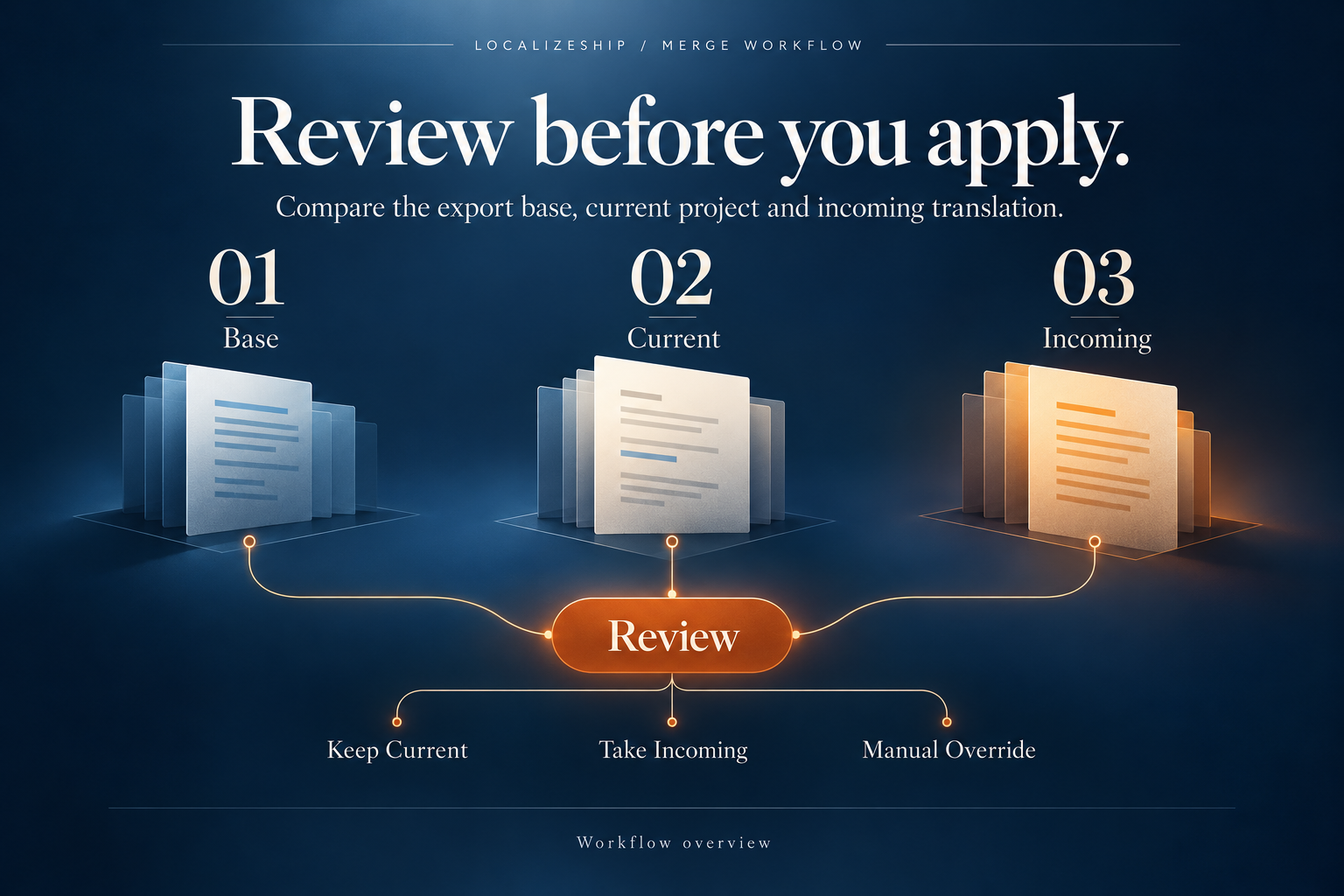
The three inputs
| Input | Where it comes from | What it answers |
|---|---|---|
| Base | The exported handoff manifest | What did the translator see? |
| Current | The live workspace | What is in the project now? |
| Incoming | The returned JSON/CSV | What does the translator propose? |
For JSON, the incoming manifest doubles as the base manifest. For CSV, the importer reconstructs a base containing entry ID, source text and base source hash; the base translation body is empty.
Classification
public enum MergeClassification
{
    Unchanged,
    SafeIncomingChange,
    StaleSourceConflict,
    ConcurrentLocaleEdit,
    DuplicateIdError,
    UnknownIdError,
    BlankIncomingValue,
    ExplicitDeleteRequest
}
The planner evaluates in this order:
- Duplicate incoming ID →
DuplicateIdError. - No source revision and no approval in the workspace →
UnknownIdError. - Blank or whitespace-only incoming value →
BlankIncomingValue. - Base source hash differs from current source hash →
StaleSourceConflict. - Current translation differs from both base translation and incoming →
ConcurrentLocaleEdit. - Current equals incoming →
Unchanged. - Otherwise →
SafeIncomingChange, resolved to take the incoming value.
| Classification | Blocking? | Meaning |
|---|---|---|
Unchanged | No (skipped) | Nothing to do |
SafeIncomingChange | No | Apply incoming |
StaleSourceConflict | Yes until resolved | Source changed after export |
ConcurrentLocaleEdit | Yes until resolved | Both sides edited the translation |
DuplicateIdError | Yes | Duplicate row; cannot apply |
UnknownIdError | Yes | Entry not in workspace |
BlankIncomingValue | No | Blank cannot overwrite; effectively skipped |
ExplicitDeleteRequest | — | Enum exists; the planner never emits it in 1.0.0 |
BlankIncomingValueis not a conflict and is not applied. It is not an explicit delete request either. If a translator wants to delete a line, they must say so outside the file; there is no delete workflow in 1.0.0.
Conflict resolution
Only conflict rows get a resolution control:
| Action | Effect |
|---|---|
Unresolved | Blocks apply |
Take Incoming | Resolved value = incoming |
Keep Current | Resolved value = current |
Manual Override | You type a resolved value in the row |
Apply Verified Merge Plan is disabled while any conflict is unresolved or has a null resolved value.
KeepCurrent is subtle: the coordinator still writes a journal backup for the row, then skips the text and state update. A later rollback therefore has a record, but nothing was changed. This is harmless but can look confusing in a journal dump.
Apply semantics
Before writing anything, the coordinator refuses a plan with unresolved conflicts:
if (plan.HasUnresolvedConflicts)
{
    throw new InvalidOperationException(
        "Cannot apply a merge plan with unresolved conflicts...");
}
For each applicable row:
- Skip blocking errors and
Unchanged. - Choose
ResolvedValue, or incoming forTakeIncoming, or current forKeepCurrent. - Get or create the approval record.
- Write a
JournalBackupEntrywith the previous text, previous state, previous approved source hash and the applied text. - If the resolution is
KeepCurrent, stop here. - Otherwise set the text and apply a Needs Review transition with reviewer
Local QA Reviewer, roleTranslator Import, and rationaleApplied from import plan <PlanId>.
Nothing is approved by an import. Nothing is deleted.
The journal
public class ImportJournal
{
    public string JournalId;
    public string PlanId;
    public long ApplyTimestampTicks;
    public bool IsFullyApplied;
    public bool IsRolledBack;
    public List<JournalBackupEntry> Backups;
    public List<string> RestoreConflicts;
}
The window keeps the last journal in a static field (_lastJournal) for the session. Rollback Last Journal is available until that journal is marked rolled back.
Rollback without force
Before restoring, rollback checks every touched record. If the current text no longer equals the applied text, it adds a restore-conflict message and throws:
Cannot rollback journal '<id>'. Later edits detected on <n> entries causing restore conflicts.
Pass force=true to override.
This prevents a rollback from quietly discarding edits made after the import.
Rollback with force
The window does not expose a force button. The API accepts force: true:
applyCoordinator.Rollback(workspace, journal, force: true);
It restores, for each backup:
TranslationText = PreviousTextCurrentState = PreviousStateApprovedSourceHash = PreviousApprovedSource
Rollback does not restore
ApprovedTranslationHash, because the journal does not store it. If your workflow depends on translation-hash binding, test rollback on a copy before relying on it in production.
Limits and edge cases
- The plan is per locale. Run the window once per target locale.
- Duplicate IDs are detected only within the incoming batch.
- Unknown IDs are detected by the absence of both a source revision and an approval; a source revision that exists but has no approval is known.
UnknownIdErrorrows cannot be resolved; they are skipped on apply.- Applying does not re-check placeholders or glossary terms. Run the text rules yourself if you need that before apply.
- The journal lives in memory for the session and in the workspace only if you serialize it yourself. Closing Unity loses the ability to roll back through the window.
- The apply path does not write to the underlying provider table. It updates the workspace approval records. Writing to Unity Localization is a separate adapter call.
This last point surprises people: Review Imports is a review/approval workspace operation, not a provider write. To push approved text back into a String Table, call
ILocalizationProvider.WriteTranslationfrom your integration. See Unity Localization.
Recommended merge review
- Compare the base hash column with the current source hash before importing. A stale conflict is cheaper to catch in the file list than in the grid.
- Resolve
StaleSourceConflictrows by meaning, not by convenience.Take Incomingis only safe if the source change did not alter meaning. - Use
Keep Currentwhen the project fix is newer and correct. - Use
Manual Overridewhen neither side is complete. - Apply, then run text rules and visual checks before approving.
- Keep the journal session open until you have verified the result; closing Unity ends the rollback window.